Product Updates
Summary: Find, edit, download, and reuse every saved hero and background in one place — no more re-creating proven creative from scratch.
What's Changing
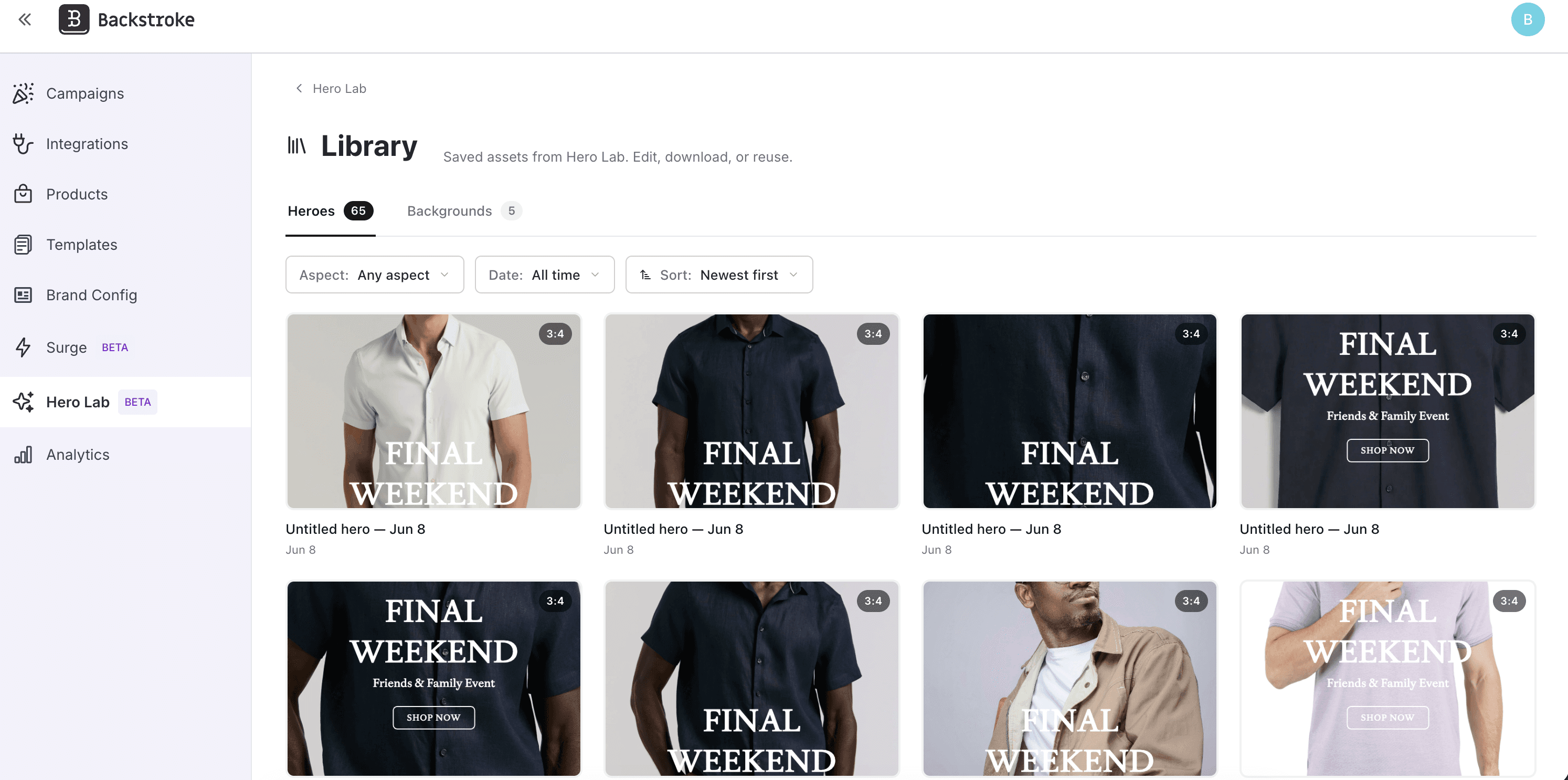
Before: When you saved a hero in Hero Lab, it went... somewhere. There was no place in the app to actually find it again. And if you spotted a typo or wanted to tweak the text, your only option was to start over from a blank canvas. Background images were even more fleeting — every background you uploaded or generated lived only for that session, so reusing a great shot from one photo shoot meant uploading it all over again, every time.
After: Hero Lab now has a dedicated Library. Open it and you'll see everything you've saved, split into two tabs — Heroes and Backgrounds. Sort by newest, filter by aspect ratio, date, or source, and search by text to find exactly what you need, even across hundreds of assets. Hover any tile to edit, download, rename, or delete, and select several at once to clean up in bulk. Editing a hero reopens it in Create mode with everything restored, so fixing that typo takes seconds instead of a fresh start. Best of all, your saved backgrounds become reusable building blocks: drop them straight into new heroes as a base image, or feed them back in as AI reference images so your best-performing visuals compound into better generations over time.
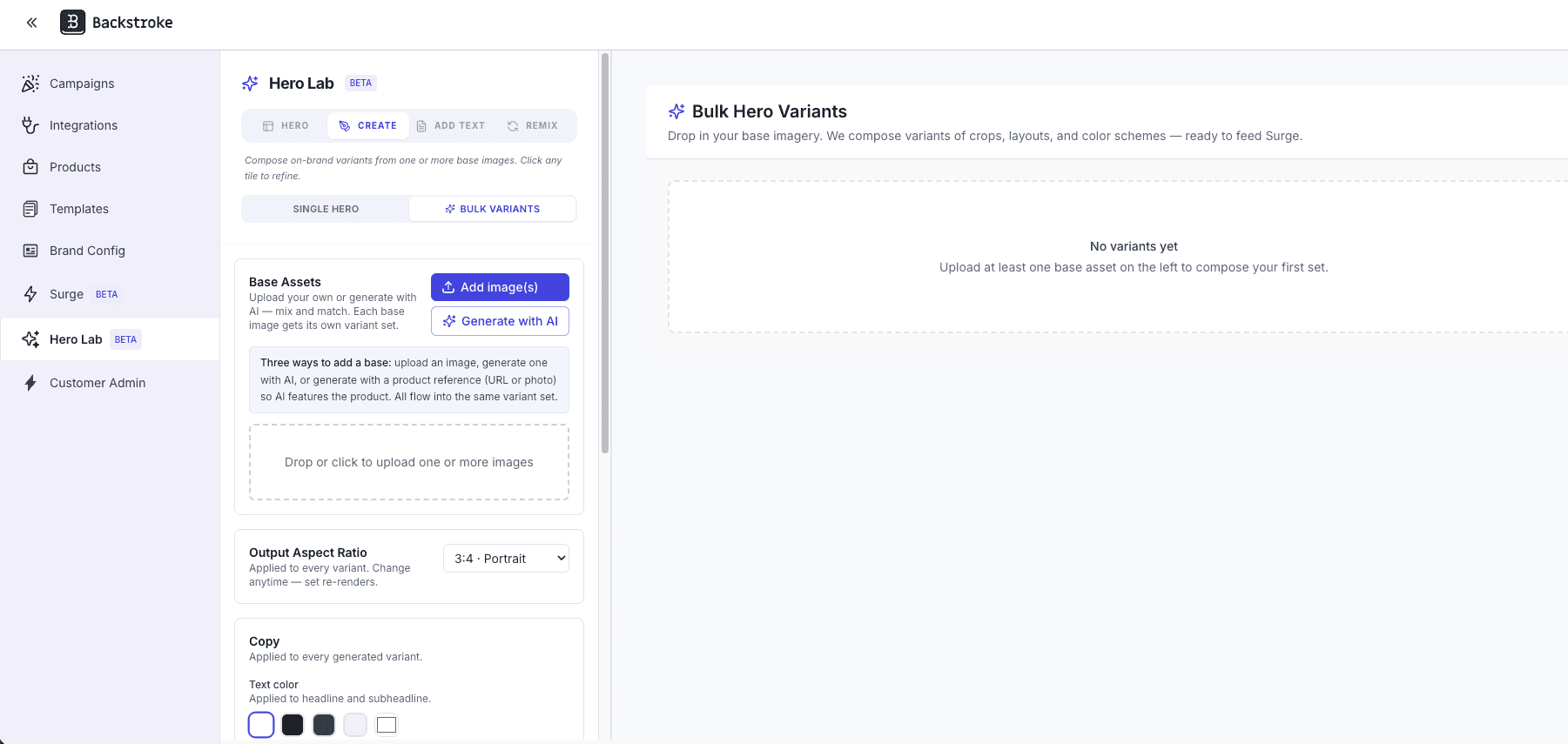
Describe the look you want, get on-brand background images, and turn each one into 36 ready-to-test hero variants in a single flow.
What's Changing
Before, building a set of hero images for testing meant sourcing or designing each background separately, then recreating typography, CTAs, and layout variations one at a time. Getting to a meaningful number of on-brand variants took hours of design work for every campaign.
Now, open Hero Lab, flip to Bulk Variants, and you've got two paths into the same flow. Bring your own images and we'll generate 36 brand-correct text-overlay variants per image automatically. Or click "Generate with AI," write a quick campaign brief, optionally drop in a product reference (PDP URL or upload), and choose 1, 3, or 6 backgrounds — we'll produce text-free, brand-aligned backgrounds you can turn straight into the full variant set. A new Hero Image Brand Guidelines tab in Brand Config keeps everything on-brand: your typography, CTA style, photography direction, color palette, subject guidance, reference images, and an avoid list all feed into every generation. Edit any variant with prev/next navigation, approve the ones you want, and push them straight to your Hero Library.
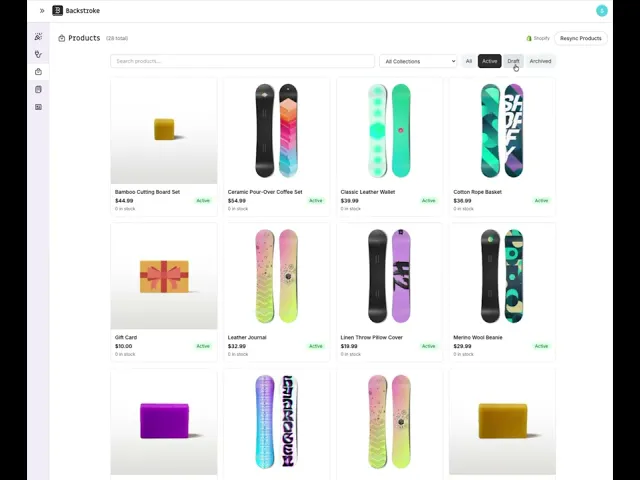
Connect your store to sync products into Backstroke. Use live product data in your campaigns.
Backstroke connects to your Shopify store and automatically syncs your product catalog, including product details, images, variants, and collections. Once connected, you can use real Shopify product data directly inside Backstroke email campaigns without manually copying or updating product information. When products change in Shopify, Backstroke keeps your catalog in sync so campaigns always reflect your current inventory. Connect in one click from the Backstroke integrations page.
One-click connect syncs your full product catalog into Backstroke automatically
Products, images, variants, and collections stay up to date as you make changes
Use real Shopify product data directly in your email campaigns
App Story Listing: https://apps.shopify.com/backstroke
Video Demo:
A redesigned login page and MFA flow with a fresh new look — a polished first touchpoint every time you come back to Backstroke.
What's Changing
Before, the login page and verification screens were functional but plain.
Now, signing in opens onto a softly animated backdrop with a frosted-glass form card on top. Typography, inputs, and buttons have all been retuned for clarity, and the experience adapts cleanly to mobile. The two-factor verification and setup screens have been rebuilt to match, so the whole sign-in flow feels like one cohesive experience.
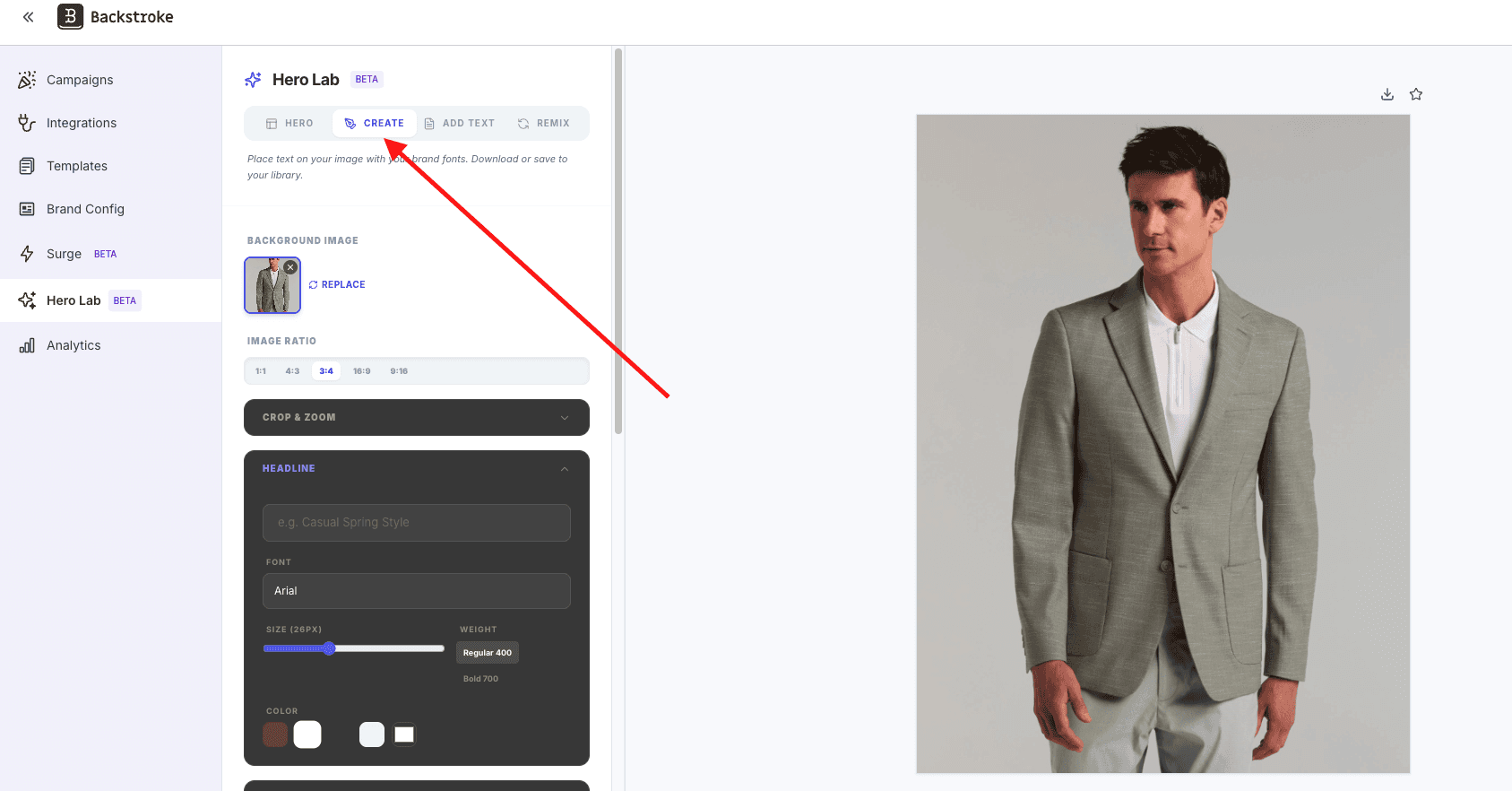
Upload a background image, place text with your brand fonts and colors, and save or download — a lightweight way to build on-brand heroes without leaving Backstroke.
What's Changing
Before, Hero Lab was focused on AI-generated heroes. If you wanted to place your own text on a background image using your brand fonts and colors, you needed an external design tool.
Now, the new Create option lets you upload a background image, add headline, subheadline, and CTA text with your brand fonts, and drag everything into position right on the canvas. Download as PNG or save straight to your hero library.
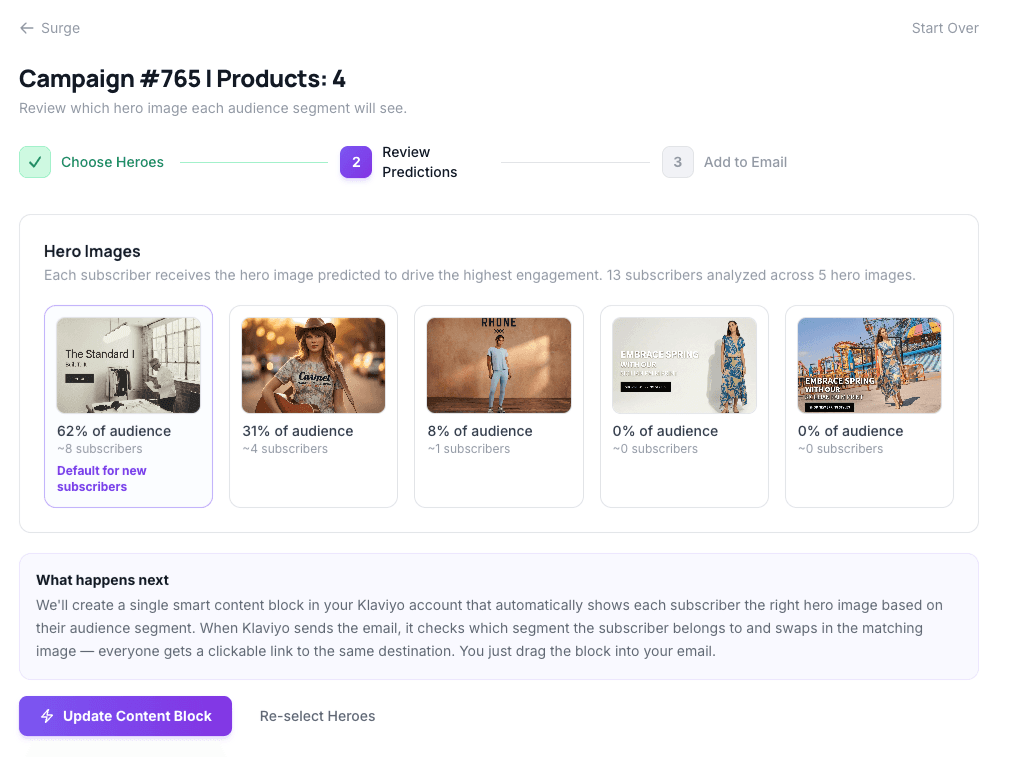
Surge adds predictive hero intelligence to the campaigns you're already building in Klaviyo. Instead of switching to a different tool, you stay in your ESP and let Backstroke handle the hero optimization behind the scenes. You pick the hero images, Surge predicts which one performs best for each audience segment, and delivers a ready-to-use content block you drag into your Klaviyo email.
What Surge Does
Today, when you build a campaign in Klaviyo, you pick one hero image and send it to everyone. You might suspect that different audiences respond to different visuals, but testing hero variations manually — building segments, creating conditional content blocks, managing merge tags — is tedious enough that most teams skip it.
Surge eliminates that work. It automatically detects your draft and scheduled campaigns from Klaviyo, lets you upload 2–10 hero image variations, predicts which hero will perform best for each audience segment, and generates a smart content block that handles the personalization for you. You drag one block into your email in Klaviyo and send. Each subscriber sees the hero predicted to drive the highest engagement for their profile.
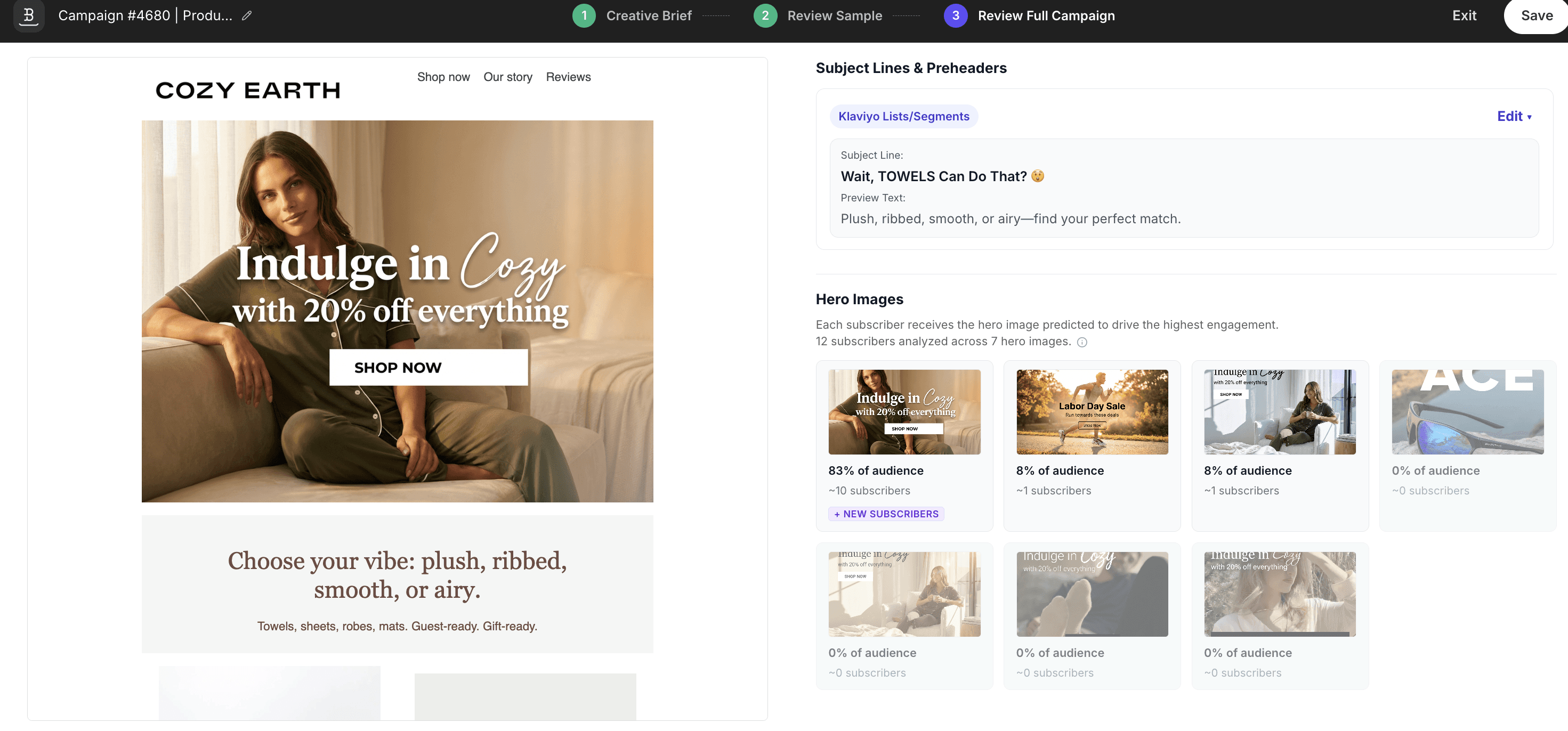
Predictive Hero Images automatically matches the right hero image to the right subscriber. Instead of sending the same hero to your entire list, Backstroke's AI scores each of your hero images against audience segments and shows each subscriber the image most likely to drive a click — no manual segmentation required.
What Predictive Hero Images Does
Today, every subscriber on your list sees the same hero image. You might have a hunch that different audiences respond to different visuals — a lifestyle shot for younger subscribers, a product-focused image for older ones — but manually creating and assigning those variants is too time-consuming, so most teams don't do it.
Predictive Hero Images solves this. You provide 2–10 hero images, toggle on the feature, and Backstroke handles the rest. Our models analyze each image, scores it against your audience segments based on demographic profiles, and assigns the best-performing hero to each group. When the email sends through Klaviyo, each subscriber sees the hero predicted to drive the highest engagement for their profile.
The result: better click-through rates without any additional manual work beyond uploading your creative.
How It Works
Predictive Hero Images uses a proprietary machine learning model trained on real email engagement data. Here’s the high-level flow:
Image Analysis — Each hero image you upload is analyzed by an AI vision model, which converts the image into a numerical "fingerprint" that captures what's actually in it — scene type, colors, mood, product placement, text overlays, and more. This is far more nuanced than simple categories like "lifestyle" or "product shot."
Audience Matching — The model combines its understanding of each image with what it knows about your audience segments to predict which image is most likely to drive a click for each group.
Smart Assignment — For each audience segment, the model ranks all your hero images and assigns the winner. This means different segments can receive different heroes — all within a single campaign send.
Dynamic Delivery — Backstroke generates dynamic logic that gets embedded in your email. When Klaviyo sends the email, it evaluates each subscriber’s profile and serves the correct hero image at send time. No subscriber ever sees a broken or missing image.
Edit emails and templates together in real time — see which elements your teammates are working on as changes happen live.
What's Changing
Before: Only one person could work on an email or template at a time. If two people opened the same draft, one would overwrite the other's changes. Teams had to take turns or coordinate over Slack to avoid conflicts.
After: Multiple team members can now open and edit the same email or template simultaneously — whether it's a campaign email or a standalone template. You'll see which blocks your teammates have selected and watch their changes appear in real time — no more overwriting each other's work. Have a designer tweak the hero while a copywriter updates the body, or collaborate on last-minute edits together, all inside the same editor session.
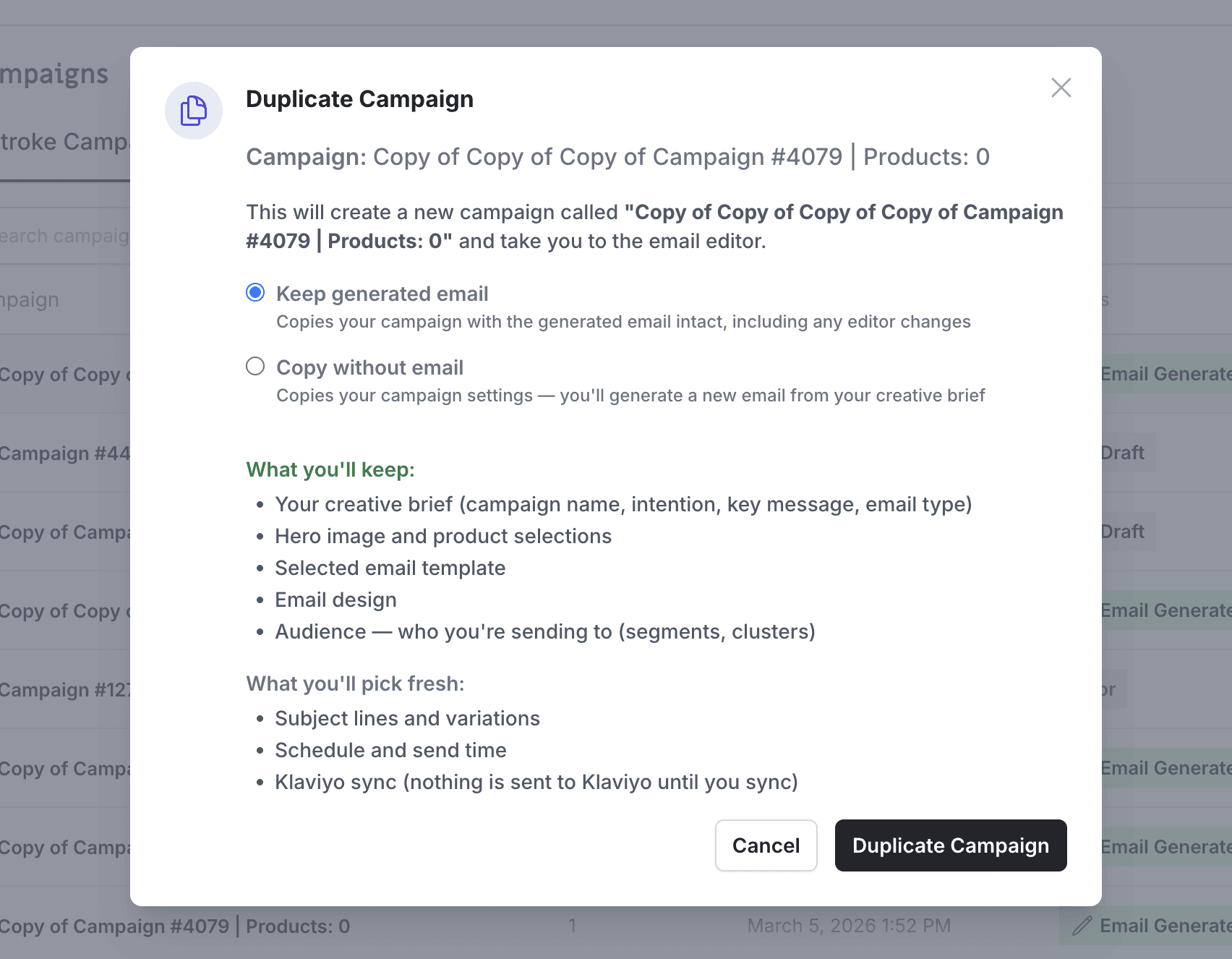
Duplicate a campaign without losing the image swaps, link updates, and approved body copy you already finalized in the editor.
What's Changing
Before, duplicating a campaign always started you over from scratch. Any edits you'd made in the editor — swapped images, updated links, approved body copy — were thrown away. The duplicate reverted to the original generated output, which meant redoing all your work if you just wanted a quick copy with minor tweaks. This was especially painful if you'd already gotten copy approved and synced to Klaviyo, then needed to go back and make a correction.
After, when you duplicate a campaign that has a finalized email, you'll see a choice: Include email design or Start fresh. Choose "Include email design" and your duplicate keeps everything — images, links, body copy, layout, and audiences — and drops you straight into the editor so you can pick up right where you left off. Choose "Start fresh" and it works exactly like before, generating a new email from your brief. Campaigns that haven't been generated yet skip the prompt entirely, so nothing changes for early-stage drafts.
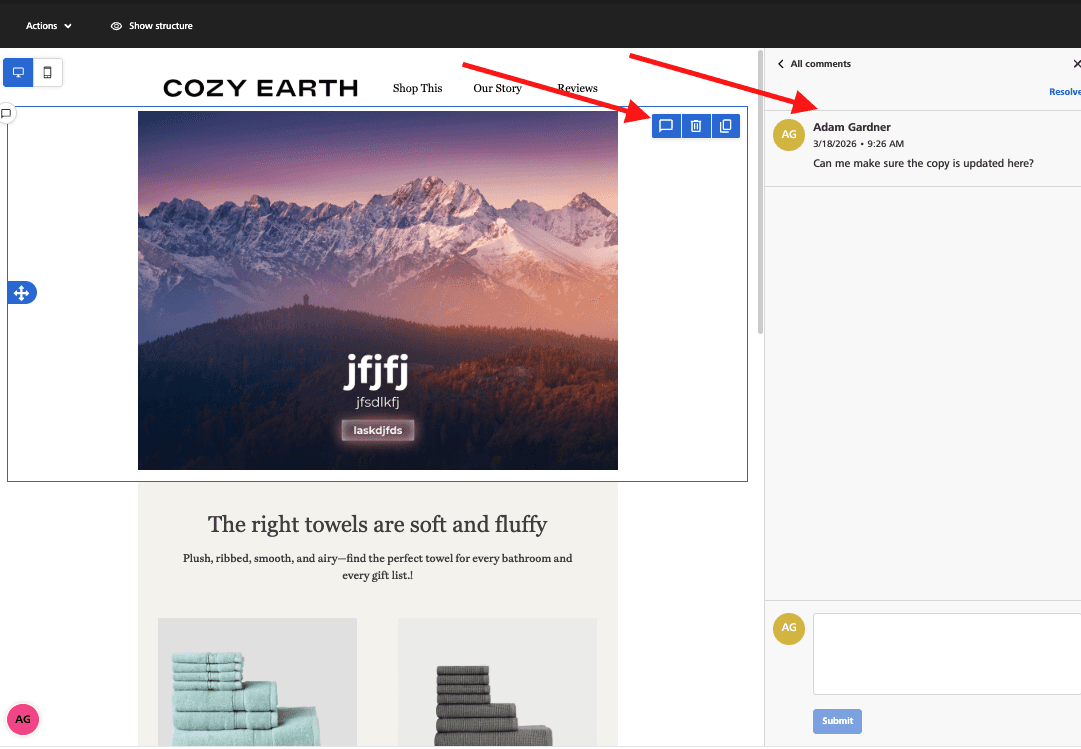
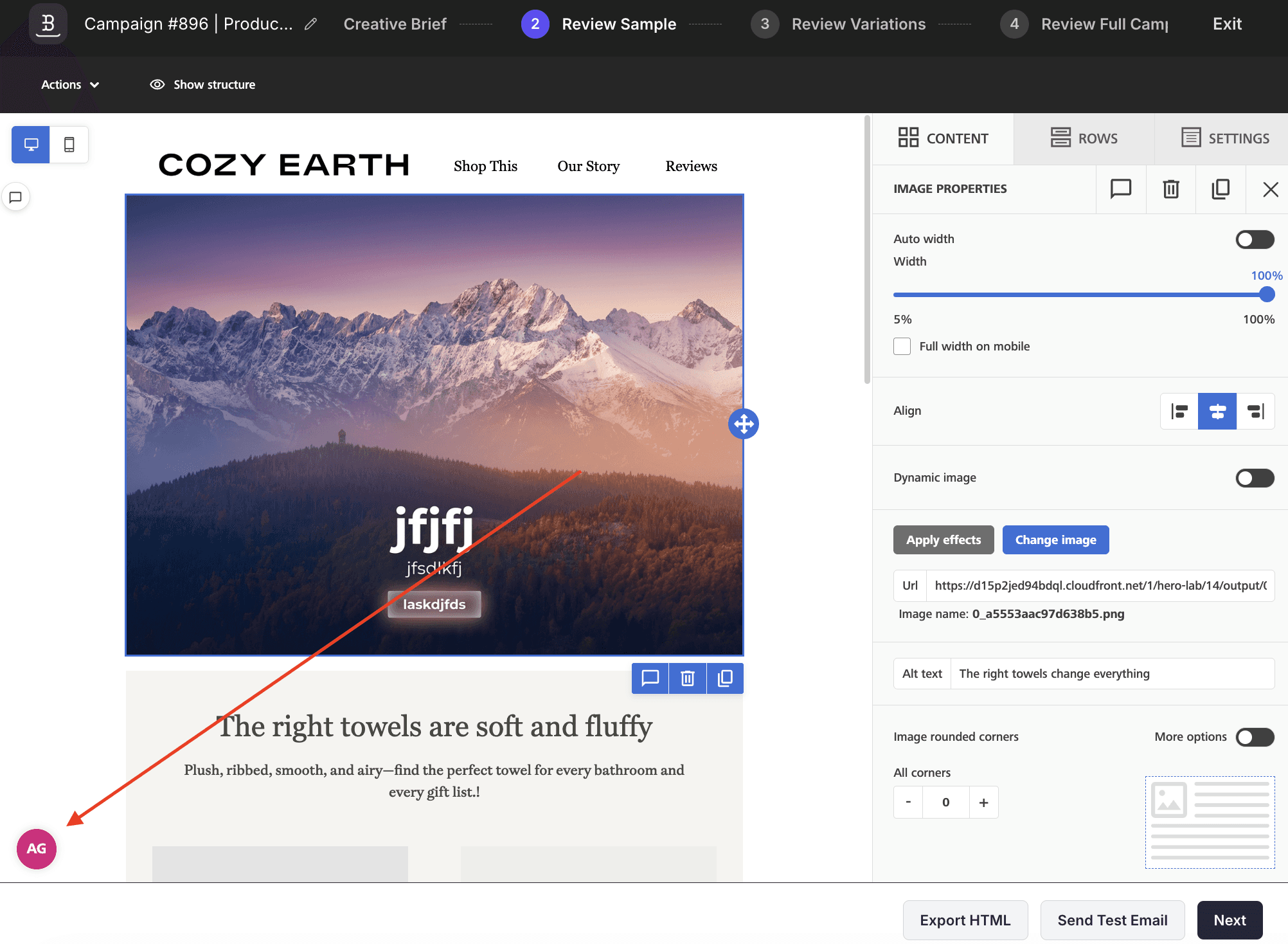
Leave feedback directly on any email block — comment, reply in threads, and resolve without leaving the editor.
Before: Giving feedback on an email meant switching to Slack, a shared doc, or a meeting. You'd screenshot the section, describe which block you meant, and hope the context carried over. Feedback got scattered across tools and threads got lost.
After: Click any element in the email editor — a hero image, text block, button, anything — and leave a comment right there. Your team sees who said what with names and avatars, can reply in threads to keep conversations focused, and resolve comments when the feedback is addressed. Everything stays attached to the email, so context is never lost. Collaborate on copy, design, and layout without leaving the builder